
Download Kuluko – AI Audiobook Creator, Free, Secure, Multi‑Platform
Overview
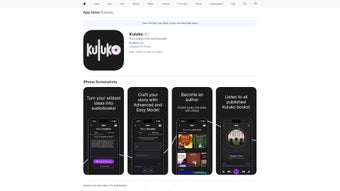
Kuluko is a cloud‑native, AI‑driven platform that transforms a simple textual prompt into a fully narrated audiobook. The service is built around two distinct creation pathways: Easy Mode, which generates a complete story from a single line of input, and Advanced Mode, which offers granular control over plot structure, character development, and narrator characteristics. Both modes operate inside a modern web browser, eliminating the need for bulky installations or local processing power.
Users can immediately preview text, adjust chapters, and listen to a real‑time audio sample before committing to a final render. The AI engine leverages large‑scale language models combined with state‑of‑the‑art text‑to‑speech synthesis, delivering natural‑sounding voices that can be customized by gender, accent, pacing, and emotional tone. Privacy is a core design principle; all data is encrypted in transit, processed temporarily, and deleted after the user downloads or publishes the final file.
Kuluko’s responsive interface adapts to desktops, laptops, tablets, and smartphones, making it equally useful for writers drafting a novel at a desk, teachers preparing narrated reading material for a classroom, or commuters who want fresh audio content on the go. The platform also includes a community hub where creators can share public audiobooks, gather feedback, and discover new voice packs. Whether you are an indie author seeking a cost‑effective way to produce a prototype, an educator looking for inclusive audio resources, or simply a storytelling enthusiast, Kuluko provides a secure, fast, and user‑friendly solution that bridges the gap between written ideas and immersive audio experiences.
Key Features & Compatibility
- AI‑Generated Narratives: Convert a single sentence into a full‑length novel or short story.
- Dual Creation Modes: Easy Mode for rapid results, Advanced Mode for detailed customization.
- Customizable Narrator Voices: Choose gender, accent, pacing, and emotional tone.
- Multi‑Genre Support: Fantasy, sci‑fi, mystery, romance, non‑fiction, and more.
- Instant Audio Rendering: High‑fidelity MP3 output ready for download or streaming.
- Library Integration: Publish to a personal shelf or share publicly with a community hub.
- Cross‑Platform Web App: Works on Windows, macOS, Linux, Android, and iOS browsers.
- Secure Data Handling: End‑to‑end encryption and GDPR‑compliant privacy policy.
- Export Options: Download as MP3, WAV, or embed player for websites.
- Continuous Updates: Regular AI model improvements and new voice packs.
Because Kuluko is a web‑based application, it runs on any modern operating system that supports a recent browser—Chrome, Edge, Firefox, or Safari. Whether you are on a Windows 10/11 desktop, a macOS Ventura laptop, a Linux distribution, an Android tablet, or an iPhone/iPad running iOS 15 or later, the experience remains identical. The responsive design automatically re‑flows the UI to fit smaller screens, and touch‑optimized controls make it comfortable to edit prompts or select voice samples on mobile devices. No additional plugins or runtime environments are required; the only prerequisite is a stable internet connection for AI processing and audio rendering. This broad compatibility ensures that creators can work wherever inspiration strikes, without worrying about platform constraints or device‑specific limitations.
Installation & Usage Instructions
Getting started with Kuluko is intentionally frictionless. Follow the step‑by‑step workflow below to create your first audiobook:
- Open the Platform: In any up‑to‑date browser, navigate to kuluko.com. No download or installer is required because the service is fully cloud‑hosted.
- Register or Sign In: Click “Sign Up” to create a new account using an email address and a strong password, or use Google/Apple single‑sign‑on for instant access. Existing users simply click “Log In”.
- Select a Creation Mode: From the dashboard, choose Easy Mode for a quick story generation or Advanced Mode if you want to define characters, settings, and narrative arcs.
- Enter Your Prompt: In Easy Mode, type a concise idea (e.g., “A brave child discovers a hidden portal in a forest”). In Advanced Mode, fill out the structured form with character bios, plot points, and desired voice attributes.
- Generate the Text: Hit the “Create” button. The AI engine begins processing; a progress bar and live preview keep you informed of the generation status.
- Review & Edit: Once the draft appears, you can edit chapters, rearrange scenes, or add dialogue. Edits are instantly reflected in the accompanying audio preview.
- Choose a Narrator: Browse the built‑in voice library, listen to short samples, and select the voice that best matches your story’s mood. Premium users unlock additional voice packs with regional accents and expressive tones.
- Render the Audiobook: Click “Render Audio”. The platform converts the finalized manuscript into a high‑quality MP3 (320 kbps) within a few minutes, depending on length.
- Download or Publish: After rendering, you can download the file to your device, add it to your personal library, or publish it to Kuluko’s public gallery for community listening. Direct sharing links and embed codes are also provided.
- Manage Projects: All creations are stored under “My Projects”. From here you can rename, delete, duplicate, or share each audiobook at any time.
The entire pipeline stays in the browser, meaning you never need to install heavyweight audio editing software or maintain local AI models. For users who prefer offline access to the final audio, Kuluko offers a “Download for Offline” button that saves the MP3 locally while the creation interface remains online only during generation. Should you encounter any issues, a live chat widget, email support, and an extensive knowledge base are available 24/7.
Pros, Cons, FAQ & Conclusion
Pros
- Rapid generation – complete audiobooks can be created in minutes.
- Highly customizable – control plot, characters, and narrator voice in Advanced Mode.
- Zero‑install web app – works on any device with a modern browser.
- Secure and privacy‑focused – TLS encryption, temporary data storage, GDPR compliance.
- Free tier available for casual use; premium plans are competitively priced.
Cons
- Requires a stable internet connection for AI processing and audio rendering.
- Advanced Mode introduces a learning curve for newcomers.
- Voice library, while extensive, may lack ultra‑niche regional accents.
- Free tier limits story length to 5,000 words per project.
- Premium features (longer projects, exclusive voices) are behind a subscription.
Frequently Asked Questions
Is Kuluko really free to use?
Yes. Kuluko offers a generous free tier that lets you generate audiobooks up to 5,000 words and access a core set of narrator voices. Premium subscriptions unlock longer projects, additional voice packs, and faster rendering.
Can I use Kuluko on my smartphone?
Absolutely. Since Kuluko runs entirely in a web browser, it works on Android and iOS devices. The interface automatically adapts to smaller screens, allowing you to create and listen to audiobooks on the go.
What audio formats does Kuluko export?
The standard export format is high‑quality MP3 (320 kbps). Premium users can also download uncompressed WAV files for professional audio workflows.
Is my data safe while I create a story?
Kuluko employs TLS encryption for all data transfers and follows GDPR guidelines. Generated content is stored only for the time needed to render the audiobook and is automatically deleted after you download or publish it, unless you explicitly save it to your personal library.
Can I share my audiobook with others?
Yes. After rendering, you can publish the audiobook to Kuluko’s public gallery, generate a shareable link, embed the player on a website, or keep the file private for personal use.
Conclusion & Call to Action
Kuluko reshapes the landscape of audio content creation by offering a seamless bridge between text and speech. Its AI‑powered narrative engine, paired with a versatile voice library and a completely web‑based workflow, makes it an attractive option for educators, indie authors, podcasters, and casual storytellers alike. While the requirement for an internet connection and the modest learning curve of Advanced Mode are worth noting, the overall value—especially for premium subscribers—far outweighs these minor constraints. If you’ve ever imagined hearing your own novel narrated in a voice of your choosing, Kuluko turns that vision into reality with just a few clicks.
Ready to bring your stories to life? Sign up for a free account today, explore Easy Mode, and experience how effortless audiobook creation can be. Upgrade to a premium plan whenever you need longer projects or exclusive voice packs. Transform ideas into immersive audio experiences with Kuluko—your imagination, our AI, endless possibilities.
Kuluko delivers a surprisingly polished audiobook creation experience for both beginners and seasoned writers. The AI’s narrative coherence is impressive, and the voice library adds a professional touch. Minor limitations like internet dependence and a learning curve in Advanced Mode keep it from a perfect score, but overall it’s a powerful, user‑friendly tool that fills a unique niche in the content‑creation market.



.png)



